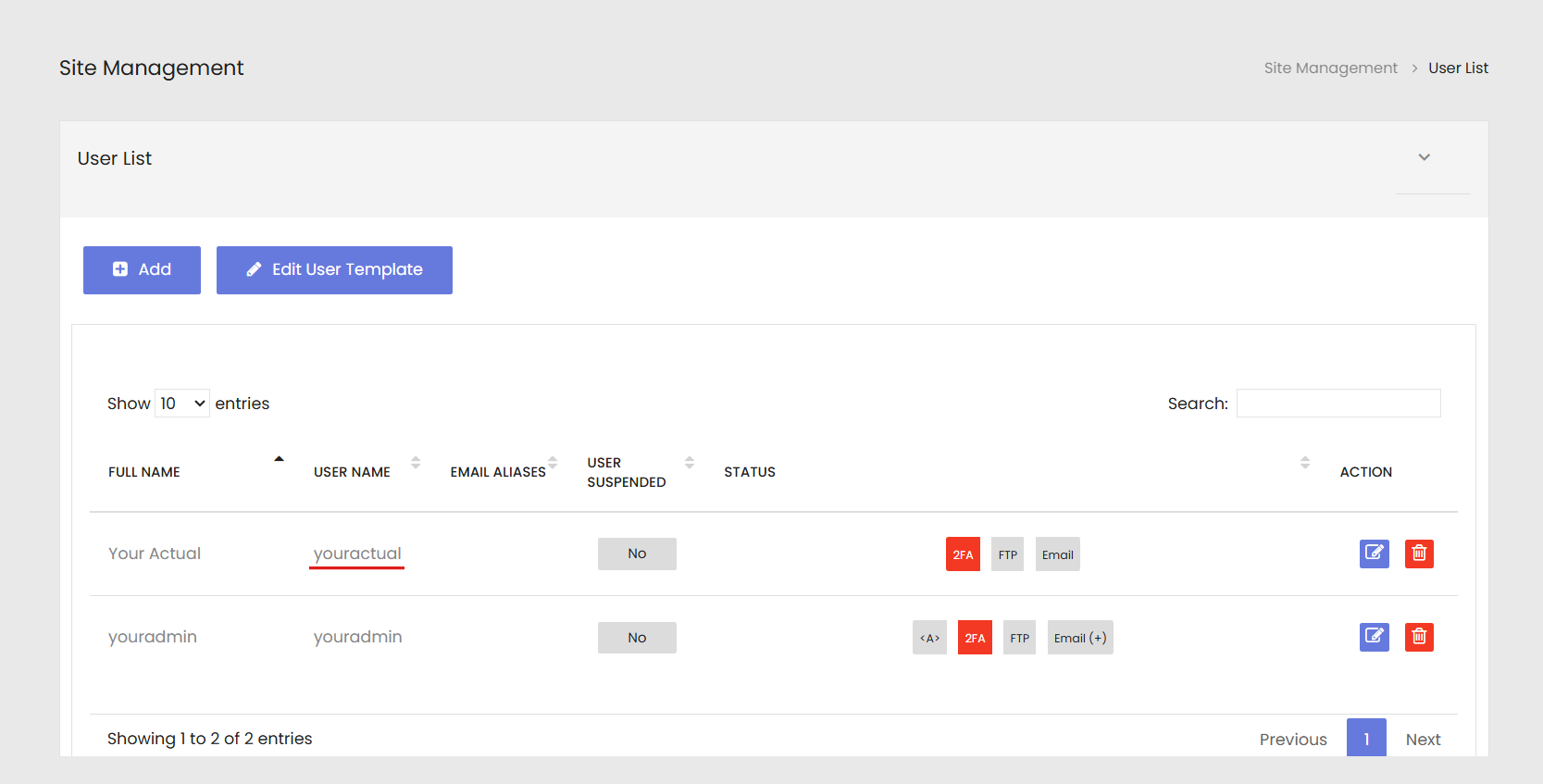
Email accounts are created in your /siteadmin area. The steps below show you how to add a new email address. Log in at http://www.your-actual-domain.com/siteadmin/ (use your real domain name in place of your-actual-domain.com).
- Your user name must be all one word, and all lower case.
- Passwords are case-sensitive, and we recommend that you do not re-use passwords across multiple platforms.
- The quota / disk usage is the maximum that you want your account to store on the server; we recommend that you set it at least at 2000 megabytes.
- Add any aliases that you want into the Aliases field for other email addresses that you also want to funnel into this same account. Following the example, the account is
youractual@your-actual-domain.comand you could add an alias of you so email sent toyou@your-actual-domain.comwill end up in theyouractualaccount.
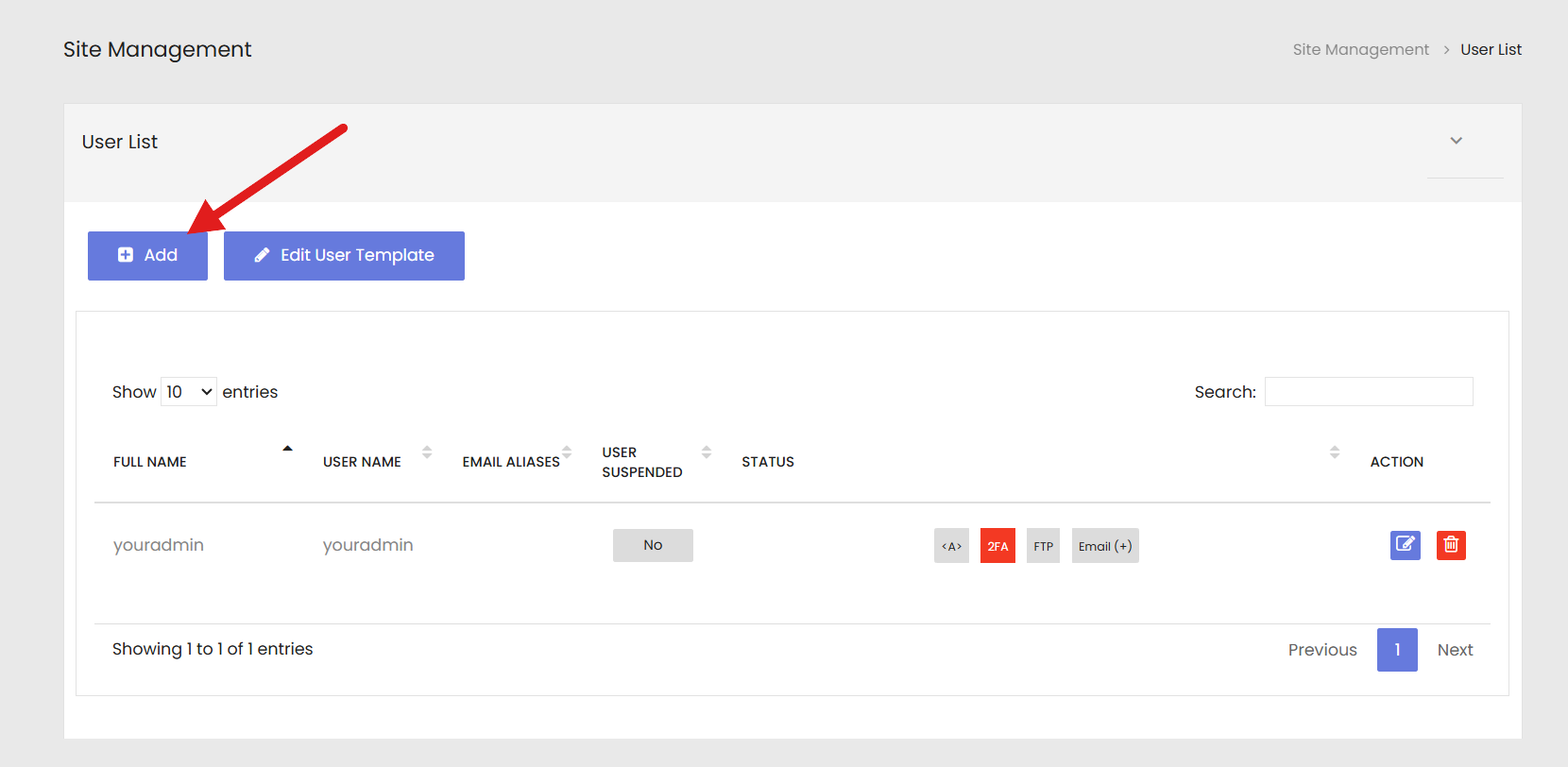
Adding the account, step by step
These screenshots use the example site www.your-actual-domain.com — use your own domain in its place.
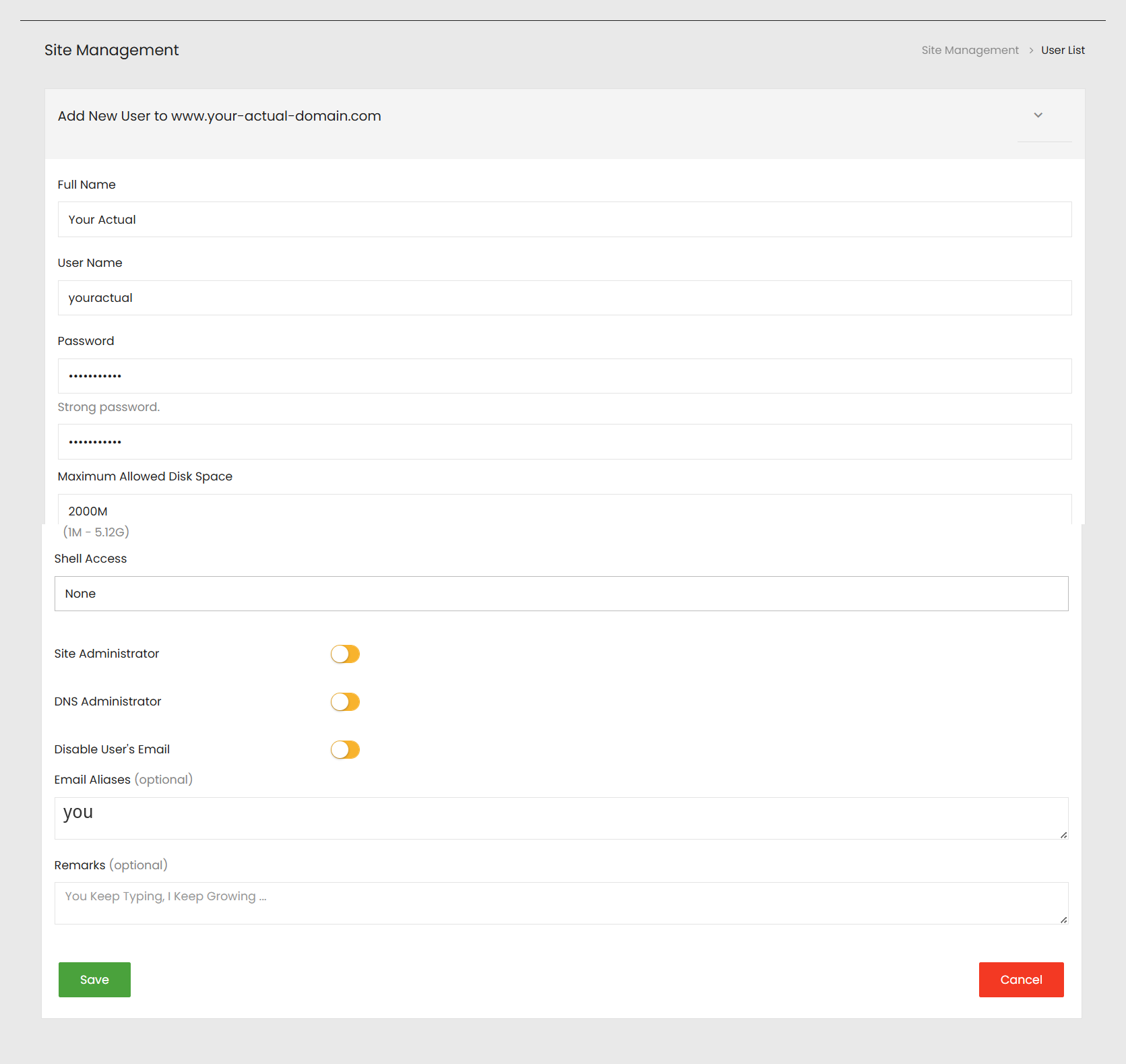
youractual@your-actual-domain.com), and the Email Aliases field shows an alias of you — then click Save. Please note, for best security, in general you will only want to have one account set to be an administrator.